
Get Converged!
Avaya Communication Products:- Avaya Partner ACS System
- Avaya Partner Small Office Edition (SOE)
- Avaya Quick-Edition
- Avaya IP Office Small Office Edition (SOHO)
- Avaya Merlin Magix
- Avaya IP Office
- Avaya Communication Manager S8300
- Avaya Communication Manager
- Avaya Media Servers
- Avaya Media Gateways
- Avaya S8400 (formerly known as S8100)
- Avaya S8500 (also Avaya S8510)
- Avaya S8700 (Avaya S8710, S8720, S8730)
- Avaya IG550 Integrated Gateway
- Avaya G250 Media Gateway (G150 Gateway)
- Avaya G350 Media Gateway
- Avaya G700 Media Gateway
- Avaya G450 Media Gateway
- Avaya G650 Media Gateway
- Avaya G860 High-Density Trunk Gateway
- Other Avaya Communication Products
- Avaya Voicemail Solutions
IP Telephony
- Multisite Networking
- Avaya One-X Mobile
- VoIP Service Provider
- VoIP PC Softphone
- Avaya VoIP Hardphone & Deskphones
- VoIP Trunking & SIP Trunking
- Avaya SIP Deskphone & Hardphones
- SIP Service Provider
- IP Solutions for Small Businesses
- IP Solutions for Mid-Sized Businesses
- IP Solutions for Large Enterprises
- Mobile Gateways
- IP Mobility Options
Unified Communication
- Voicemail to Email and Email Integration
- Speech Access
- Home Worker Solutions
- Remote Office Solutions
- Text to Speech
- Call Recording
- Conference Bridges
- IVR (Interactive Voice Response) & eIVR
- CRM Integration
- VPN Options: Connect remote workers!
- Web Collaboration
Other Keywords
- IP Office Techs
- IP Office Careers
- IP Office Programmers
- VoIP Techs
- VoIP Careers
- VoIP Engineers
- CCNA, CCIE, CCVP, ACE, ACS, ACA, MSCE
- Definity Techs
- Avaya programmers
- Avaya installers
- Avaya managers
- ACM techs
- IT managers
- Telephony specialists
- UM specialists
Avaya Home Worker Solutions
Home Worker Resources:For any home worker, you must decide what services you want to push out. Typically, the home worker has a line for inbound/outbound calls and internet. For traditional setups, ordering 2 phone lines (1 fax / 1 voice) as well as Cable or DSL internet. However, with the onset of VPN and IP telephony you can centralize reports and costs to make it easier for home workers to operate which will be fully integrated to your main office. Home workers can order business class DSL or Cable internet and get faxing and full voice capabilities over this line.
How to Setup a Home Worker:
- 1. Establish a VPN connection over internet: this allows your home worker to get on main servers at your HQ to use applications as if they were in the building. Also, this allows for voice to be sent over the internet. Your main site must have a VPN router capable of quality of service (qos).
- 2. Purchase business class broadband service (DSL, Cable, etc) with at lease 1 available static IP for your use.
- 3. To share faxing, make sure your main site has fax server capabilities allowing your faxes to show up in your email.
- 4. Make sure your phone system is VoIP ready.
- 5. Get IP device (IP softphone or IP deskphone) for your home with power adapter.
Outcome: You can share voice and data across your WAN allowing callers to call a direct number to the main office and the call goes VoIP to your IP device at home
The CCS Support Team Can Help With:
- -selling and supporting VPN
- -selling and supporting main site router
- -selling and supporting your network
- -selling and supporting your home workers
- -selling and supporting home internet
- -selling and supporting broadband internet
- -selling and supporting VoIP phone system
- -selling and supporting IP home devices
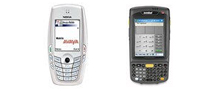 Phone System Mobility
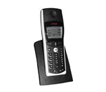 Wireless
 Small Business
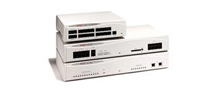 Midsized Business
 Enterprise Solutions
 Data Networking
 Advanced Applications
 IP Deskphones
 Telephones